

The Office of Marketing and Strategic Communications at the University of Southern Maine (USM) plans and executes strategic recruitment campaigns that support student enrollment, share the university’s story, and strengthen the USM brand and mission.
We welcome leads on news and storytelling opportunities and provide communications and marketing support to departments across the university as capacity allows.
Please use the contact methods below that best match your request. Once submitted, your request will be routed to the appropriate team member and reviewed in the order received. Requests are prioritized based on strategic relevance, available resources, and timing.
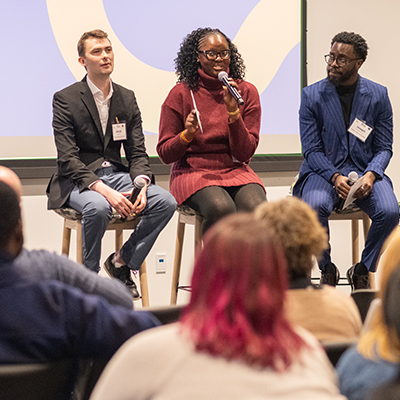
Storytelling, news, and social media opportunities
Do you have a campus news announcement or story idea to share — such as an achievement, upcoming event, or new development?
Connect with us early in the process. We evaluate opportunities for both external media coverage and university audiences through our own channels, including blogs, newsletters, and social media.
Marketing, branding, and graphic design support
Do you have a graphic design or marketing need, such as a campaign, event promotion strategy, or a targeted design project such as a custom graphic need?
We support departments with brand-aligned design assets for print or digital use, when resources allow*, and can also discuss visual identity needs for new USM initiatives. Please note that departments must have their own budget for implementation costs such as printing or ad spend.
* Did you know we have many types of design templates ready for your use? Explore the many types of design templates we prepared for you in Adobe Express.

Professional headshots
Whether you’re a new staff or faculty member here at USM, or just need to update your directory photo, we invite you to use the link below to schedule a session for a new professional headshot.
Please note that sessions are by appointment only — be sure to grab a time slot before heading over.
Website service requests
If you have a request related to our external usm.maine.edu website, such as access for a new Editor or Super Editor, a new event contact or location, general questions, problems, a new short URL/redirect, or something just isn’t working the way you hoped, we can help!
You can also submit web updates or edits for sections of the site not managed by your department.
General questions and assistance needs
If you are unsure which request type fits your needs, this form will get your question or request to the Office of Marketing and Strategic Communications, and we’ll take it from there!
Services we do not offer
We do not accept videography and photography project requests. We compiled a list of recommended freelance photographers who have been hired for past needs across the university and who come recommended by your colleagues.
Our media projects are planned at a strategic level, as decided internally by our department, in alignment with broader university needs, and we will reach out to your department should we have a project we’d like to work with you on. And we do often send staff to events for the sake of news gathering or storytelling.
So be sure to submit storytelling ideas to us! And we will confirm if we can make your events, and are happy to provide photos after a shoot upon request.
Additional resources for you
Didn’t find what you needed? Here are a few more in-demand options from other USM departments.
MyUSM/MyCampus
The Office of the President manages access, updates, and training support for the internal MyUSM campus portal.
Wayfinding signage
Facilities Management oversees office and building signage needs across all three USM campuses.
3D printing
The Maker Innovation Studio (MIST) 3D Printing & Prototyping Lab offers prototyping for beginner and advanced projects.